Everything you watch, in one calm place.
Add your provider once, by M3U link or Xtream Codes login, and 91 TV builds your home screen, guide and library automatically.
Know what's on, at a glance.
A full programme guide shows what's playing now, next and later tonight on every channel. Pick a show and it starts instantly.
- XMLTV guide, now & next on every channel
- Channel up / down from the remote
- Live rewind buffer for the last few minutes
- Hide the categories and languages you never watch
Four screens. One remote.
Follow several matches or news channels side by side. Only the screen you pick plays sound, and any screen goes full-screen with one press.
- Up to 4 live channels at once
- Choose which screen has the audio
- Perfect for match days
Built around your day.
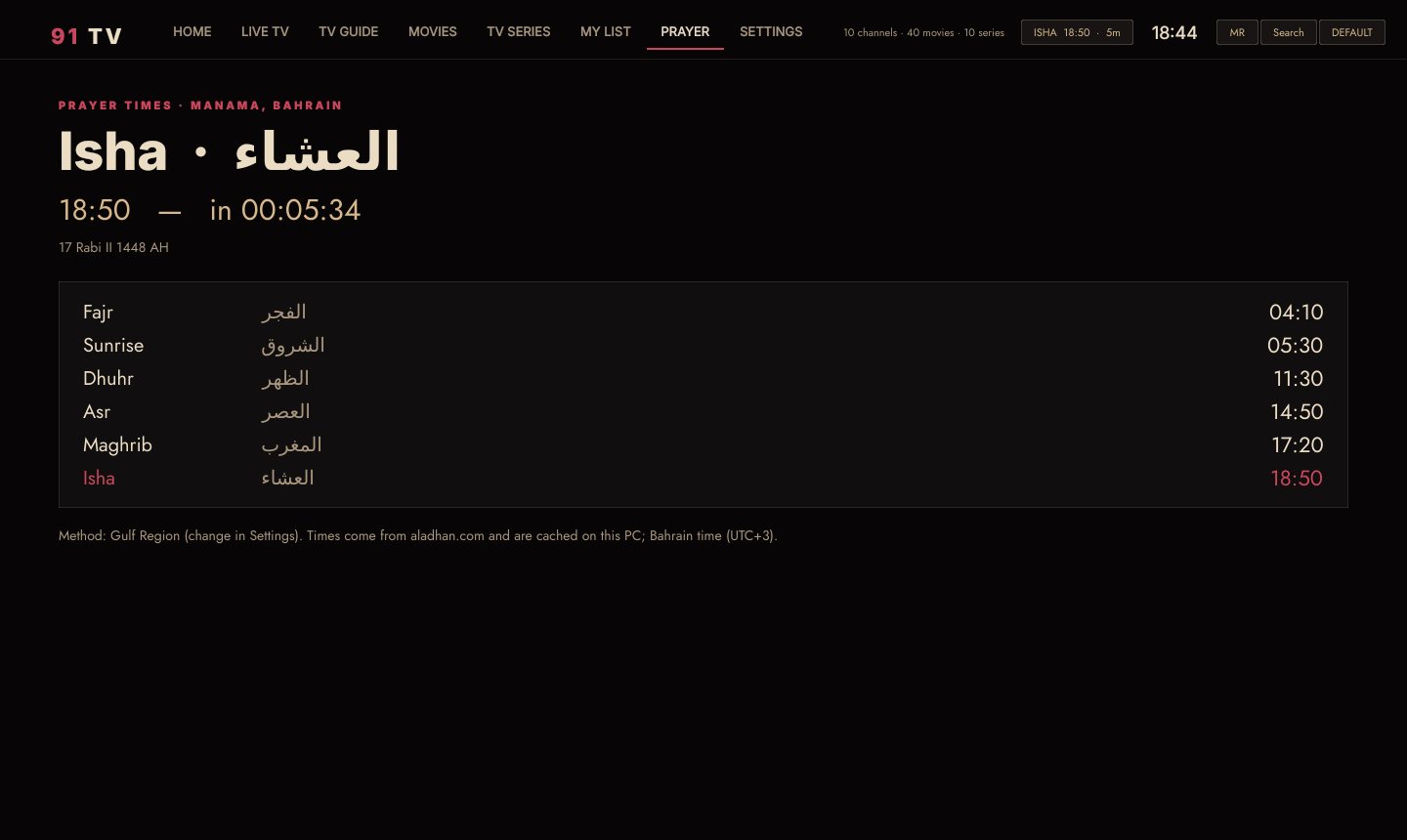
Today's prayer times sit quietly in the top bar, with a gentle reminder before each prayer, in Arabic and English.
- Fajr to Isha, calculated for your city
- Gulf Region and other calculation methods
- Optional reminder before every prayer
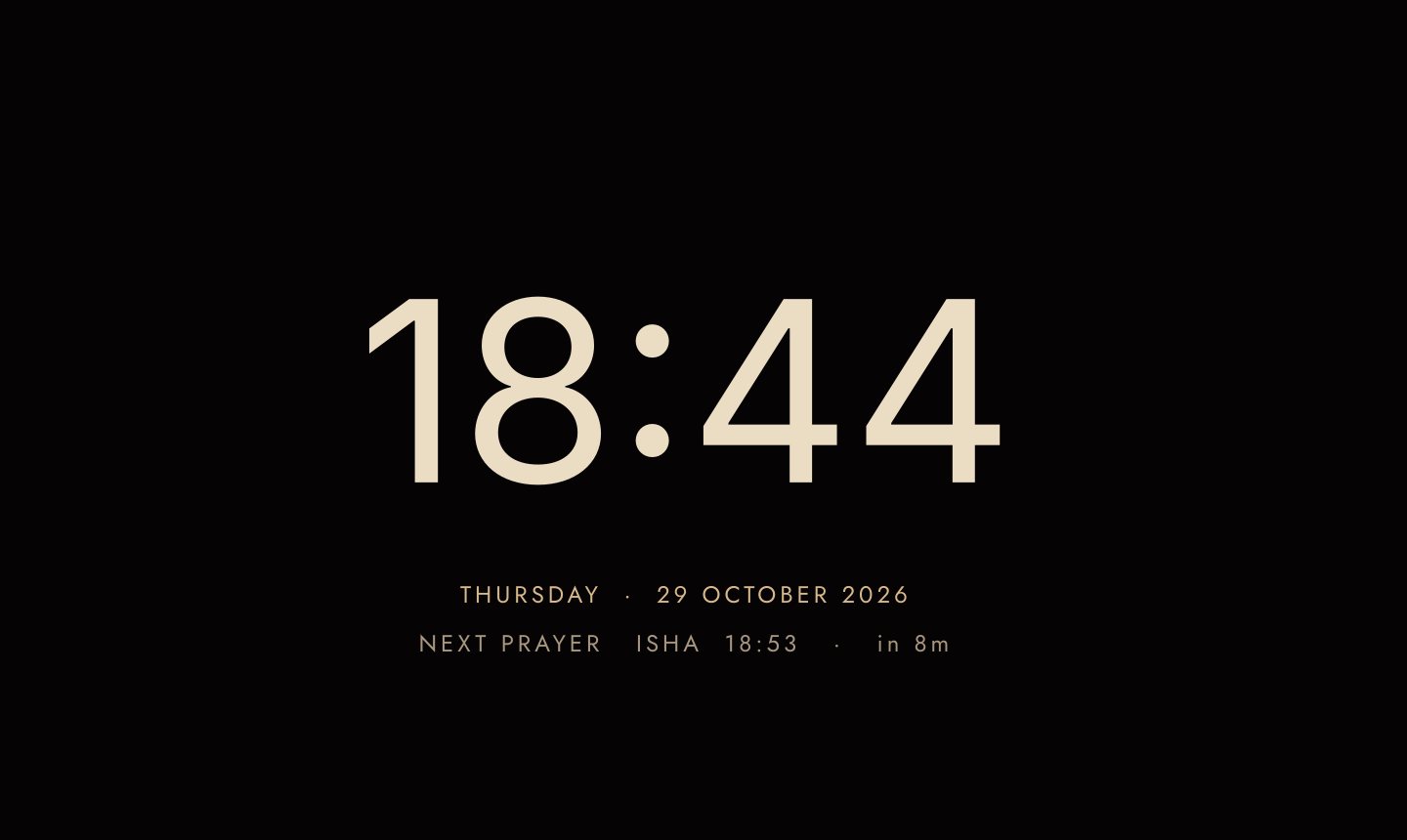
Beautiful, even when it's resting.
After a few quiet minutes, 91 TV fades to a soft clock with the date and your next prayer, gentle on OLED screens and lovely in a dark room.
- Clock, date and next prayer
- Or a slideshow of your library's artwork
The way the film was mastered.
91 TV plays HDR and Dolby Vision itself, and sends Atmos straight to your TV or soundbar, so the picture and sound arrive exactly as they were made.
- Your TV switches to Dolby Vision automatically
- Scrub with picture previews
- Auto-reconnect when a stream drops
The Long Dunes
Drama · 2025 · Arabic, English subtitles
Real HDR on supported TVs, with tone-mapping for SDR screens on Windows.
Bitstream passthrough over HDMI and ARC to your soundbar or receiver.
Smooth playback on Android TV, and NVIDIA-accelerated on Windows.
Works with M3U / M3U8 playlists, Xtream Codes logins and XMLTV guides.
On your TV and your PC.
91 TV for Android TV
Built for the remote: every screen works with the arrow keys and OK. Installs in a minute with the free Downloader app.
Android TV / Google TV · Android 5.0 or later · e.g. Sony, TCL, Skyworth, Hisense, Chromecast
91 TV for Windows 11
The same cinema feel on your PC, with keyboard, mouse and Xbox controller support, HDR output and NVIDIA acceleration.
Windows 10 / 11 · 64-bit · No admin rights neededDownload and try it free.
Install 91 TV, add your provider and use everything for 7 days. No code, no card. Love it? Pick a plan any time.
Android TV & Google TV
Sony, TCL, Skyworth, Hisense, Philips, Chromecast with Google TV
- On your TV, install the free Downloader app from the Play Store.
- Open Downloader and enter this code:
- Install, open 91 TV and choose Start 7-day free trial.
Windows 10 & 11
64-bit · no admin rights needed · about 95 MB
- Download 91 TV and unzip it.
- Open 91TV.exe. If Windows SmartScreen appears, click More info › Run anyway.
- Choose Start 7-day free trial.
One app. Three simple plans.
Every plan starts with a 7-day free trial in the app. The same plans for Android TV and Windows, and every code works on 2 devices.
1 Month
- All features
- 2 devices
- Free updates
1 Year
- All features
- 2 devices
- Free updates
Lifetime
- All features
- 2 devices
- All future updates
Secure checkout by Lemon Squeezy · Card, Apple Pay, Google Pay or PayPal · Your code arrives by email instantly
From download to watching.
Try it free
Download 91 TV and start the 7-day free trial. Everything works, no code or card needed.
Add your provider
Enter your M3U link or Xtream login. Your home screen, guide and library fill in by themselves.
Choose a plan
Pick 1 month, 1 year or lifetime. Your code arrives by email instantly; paste it in and keep watching.
Good to know.
Is there a free trial?
Yes. Every new install gets 7 days free with all features. No code and no card needed. When it ends, choose a plan to keep watching.
Do you include channels or a subscription?
No. 91 TV is the player app only. You bring your own IPTV provider and add it with an M3U link or an Xtream Codes login.
Which devices does it work on?
Android TV and Google TV devices (Sony, TCL, Skyworth, Hisense, Philips, Chromecast with Google TV and more) and Windows 10 / 11 PCs. There are separate plans for TV and Windows.
How many devices can I use one code on?
Two. If you change TV or PC, open Settings › Licence on the old one and remove it, then activate the same code on the new one.
Does it work without internet?
Streaming needs internet, of course. The licence itself keeps working for 7 days without a connection.
Can I cancel?
Yes. Monthly and yearly plans can be cancelled anytime from the link in your receipt email; you keep access until the end of the period you paid for.
How do I get help?
Reply to your 91 TV receipt email and we'll help you with installing, activating or moving your licence.

Ready when you are.
Bring your IPTV subscription. We'll bring the cinema.